Are you an artist, painter, illustrator, or Etsy seller who feels like they’re running two full-time jobs? One is the joy of creating art, and the other is the endless, often frustrating work of being an art business owner. You have to manage pricing, contracts, gallery submissions, and the constant demand of social media marketing.
This struggle is the new reality for digital artists and mixed-media artists alike. The moment your brush lifts from the canvas, the pressure of promotion begins.
Why Social Media Overwhelm Hurts Your Art
The core problem is simple: Time and Energy. Every hour you spend trying to write the perfect Instagram post caption, researching the right SEO keywords for your art, or manually handling the publishing process is an hour stolen from your studio.
Creative Drain: Worrying about likes and algorithms stifles your original vision.
Burnout Risk: Juggling art commissions and business admin leads to exhaustion.
Lost Opportunity: A weak online presence means fewer eyes on your beautiful work, leading to lost sales and connections with art collectors.
This administrative burden is precisely what leads to social media burnout for creatives. You deserve to focus on your gift—making art.
Introducing Brushly Palette: Instagram Post
Imagine having a dedicated studio assistant that handles everything—from crafting the perfect message to hitting the "post" button at the ideal moment, whether now or next week. That’s the power of the Brushly Palette: Instagram Post feature. Brushly is the ultimate studio assistant for artists, designed to take the most time-consuming, mentally taxing marketing tasks off your plate.
Effortless, Scroll-Stopping Content (Generated and Scheduled)
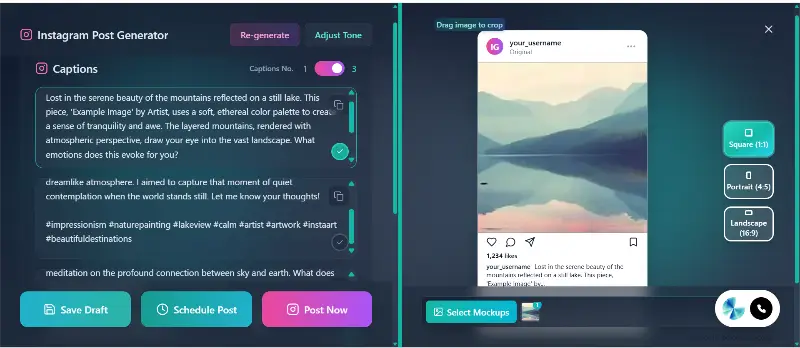
This powerful tool helps you generate scroll-stopping post captions and the right art hashtags—all specifically tailored to your art and audience. With Brushly, there is no copying and pasting. You simply click "Post Now" or "Schedule," and your studio assistant handles the entire publishing process for you. Say goodbye to staring at a blank screen and hello to captions that resonate and get results.
How Your Studio Assistant Customizes and Posts Automatically
The Instagram Post feature uses intelligent analysis to instantly deliver customized results and manage the entire posting workflow:
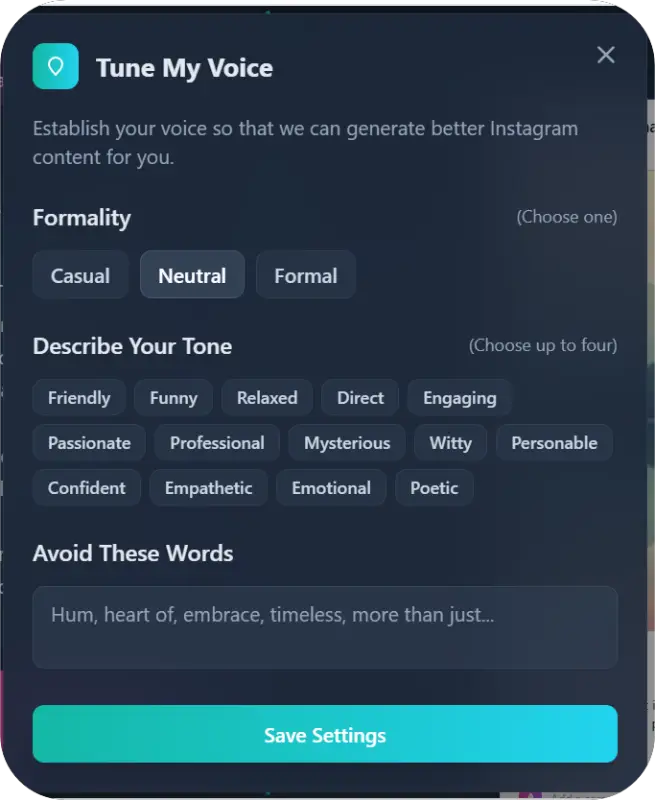
Tuned to Formality: The generated caption is refined based on your desired formality level. You set the desired tone and the formality level for the final polish.
Avoid These Words: Maintain your unique brand voice by telling the assistant to avoid specific jargon or phrases you never use in the final edits.
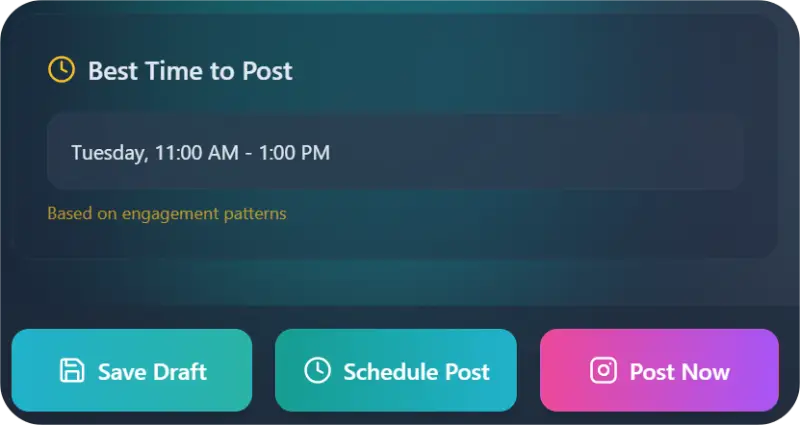
Best Time to Post: Stop guessing! The assistant analyzes engagement patterns and provides the best time to post for maximum visibility. You can then schedule the post to automatically go live at that optimal time, even if you are nowhere near your computer.
The Artist's Benefit: Complete Automation for Creative Focus
The primary benefit for every art business owner is a massive return on their most valuable resource: time.
Zero Publishing Hassle: The direct publishing and scheduling feature eliminates all manual steps, instantly uploading your content to Instagram at the perfect moment.
Maximize Engagement: The suggested art hashtags and optimal posting times ensure your artwork is seen by a wider audience, increasing your chances of getting commissions and sales.
Consistent Presence: Schedule posts days or weeks in advance, ensuring your profile remains active and professional without needing daily attention.
Focus on Art, Not Admin: By leveraging auto-generation and automatic publishing, you free up hours each week. Spend that time developing new work, experimenting with mixed-media, or just enjoying a well-deserved break.
Brushly turns a daunting chore into a simple, efficient task, giving you the control of a professional marketing team without the overhead.
How to Use Brushly Palette: Instagram Post
Getting a powerful, effective post ready is fast and intuitive. Follow these simple steps within your Brushly studio assistant dashboard.
1. Select the Tool and Auto-Generate
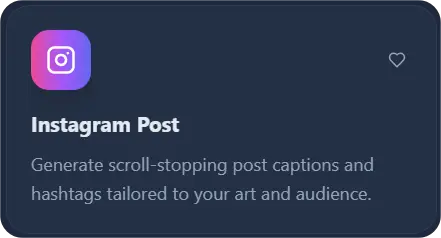
Start by navigating to the Brushly Palette section and selecting the Instagram Post tool. Click to auto-generate your first draft—your studio assistant instantly creates a compelling caption and hashtag list.
2. Define Your Style (Optional Refinement)
Use the input options to quickly refine the auto-generated post:
Captions Tuned to Formality: Select the desired level, for example: Casual, Neutral, or Formal.
Describe Your Tone: Provide a descriptive word, such as Friendly, Funny, or Relaxed.
Avoid These Words: List any words or phrases you want the assistant to omit from the caption.
3. Publish Instantly or Schedule
Review the final generated caption and targeted hashtags.
Your studio assistant will also provide the specific best time to post. You have two options:
Click “Post Now” for immediate publishing.
Click “Schedule” and select the optimal date and time. Brushly will automatically publish your post to Instagram for you exactly when specified.
Ready to Reclaim Your Studio Time?
Stop letting the business side of art steal your creative energy. Brushly is built by artists, for artists, to handle the marketing, the paperwork, and the admin, so you can do what you love.
Ready to publish scroll-stopping posts in seconds and get back to your easel?
➡️ Log in to Brushly now and try the Instagram Post feature!