Are you an artist, designer, or painter looking to elevate your career beyond casual sales? The challenge for many illustrators and digital artists is translating their passion into a credible, professional narrative that attracts corporate clients, galleries, and high-value collaborators on platforms like LinkedIn.
If you’re a dedicated art business owner, you know that running a studio means managing art commissions, developing mixed-media techniques, and constantly seeking major opportunities. Yet, crafting polished, business-focused updates for professional networking platforms is a skill set that often gets neglected due to time constraints.
Why Neglecting LinkedIn Stalls Your Art Career
LinkedIn is the world’s leading platform for professional credibility. Ignoring it, or posting generic content, can severely limit your growth:
Undermined Credibility: Without professional updates about your art achievements or project milestones, potential collaborators may overlook your professionalism.
Missed Corporate Clients: High-value art collectors, corporate buyers, and creative directors use LinkedIn to source serious talent. You must be visible and articulate.
Administrative Overload: Spending hours trying to write a professional summary of your work—instead of doing the work—is a massive drain on your limited time.
You need a studio assistant dedicated to showcasing your career in the best light possible.
Introducing Brushly Palette: LinkedIn Post
It’s time to streamline your professional networking and let your accomplishments speak for themselves. Meet the Brushly Palette: LinkedIn Post feature. Brushly is the ultimate studio assistant for artists, expertly designed to handle the professional communication required to advance your art career.
Professional Polish: Automatically Generated and Scheduled
This powerful feature allows you to write professional LinkedIn posts to showcase your art journey, achievements, or projects with minimal effort. Your studio assistant instantly auto-generates a polished, credible post. You simply refine it and then use the direct publishing feature to post immediately or schedule it for maximum impact. Say goodbye to drafting, formatting, and manual publishing.
How Your Studio Assistant Customizes and Posts Automatically
The LinkedIn Post feature ensures your content is always high-calibre and perfectly timed for a professional audience:
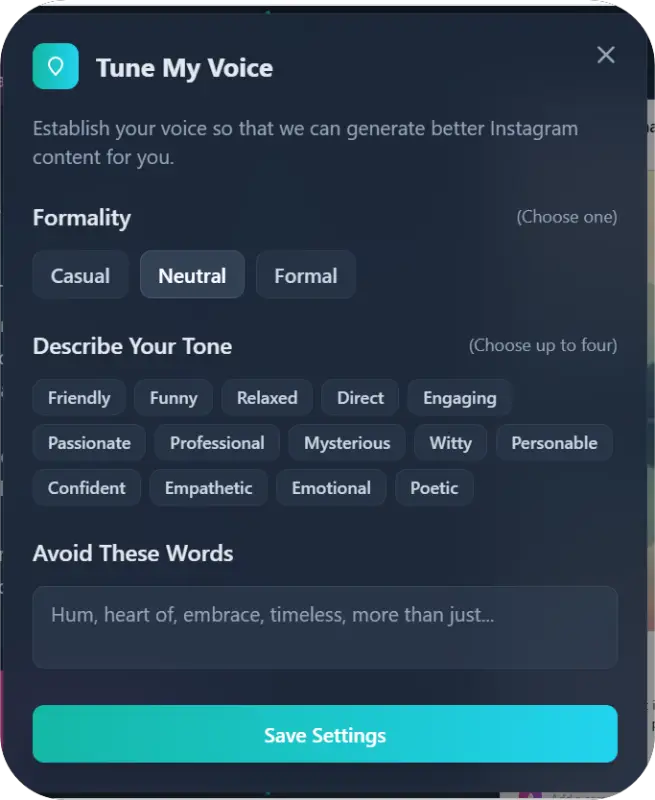
Posts Tuned to Formality: LinkedIn demands precision. Your assistant ensures the tone is formal, concise, and credible, perfect for announcing a new client project or a gallery package.
Describe Your Tone: Maintain your unique professional voice. Guide the assistant with tones like Confident, Empathetic, Personable, or Direct
Avoid These Words: Maintain your brand’s integrity by listing any casual language or jargon you wish to omit.
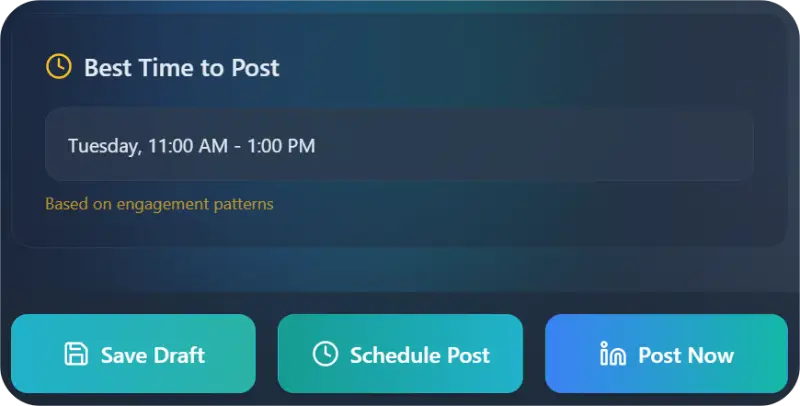
Best Time to Post & Scheduling: The assistant analyzes professional engagement patterns to provide the best time to post. You can then schedule the post to publish automatically, ensuring your professional updates land when key decision-makers are online.
The Artist's Benefit: Unbreakable Professional Consistency
For any art business owner, the ability to maintain a strong, professional presence without personal effort is invaluable:
Highest Credibility: Instantly produce content that positions you as a serious, successful creative professional ready for large-scale opportunities.
Attract the Right Connections: Consistent, high-quality posts about your process and success stories attract high-value collaborators and corporate art collectors.
Efficient Workflow: Use the scheduling feature to batch your professional updates, freeing up dedicated, uninterrupted time for creating art in your studio.
Brushly turns LinkedIn from a professional chore into a powerful, automated engine for career growth.
How to Use Brushly Palette: LinkedIn Post
Creating an impactful professional update is quick and easy with your Brushly studio assistant.
1. Select the Tool and Auto-Generate
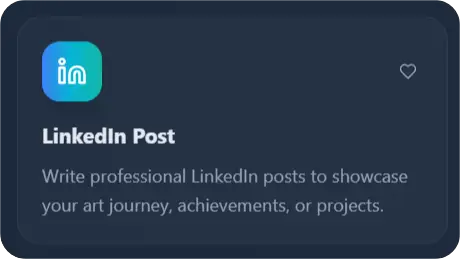
Log in to Brushly, navigate to the Brushly Palette, and choose the LinkedIn Post tool. Click to auto-generate your first draft—your studio assistant instantly creates a professional update based on your context.
2. Define Your Style (Optional Refinement)
Use the input options to quickly refine the auto-generated post:
Posts Tuned to Formality: Choose the level of formality, such as Casual, Neutral, or Formal
Describe Your Tone: Select a tone suitable for a business audience, like Confident, Empathetic, Personable, or Direct
Avoid These Words: Enter any casual or informal language you want your assistant to exclude.
3. Publish Instantly or Schedule
Review the final generated post
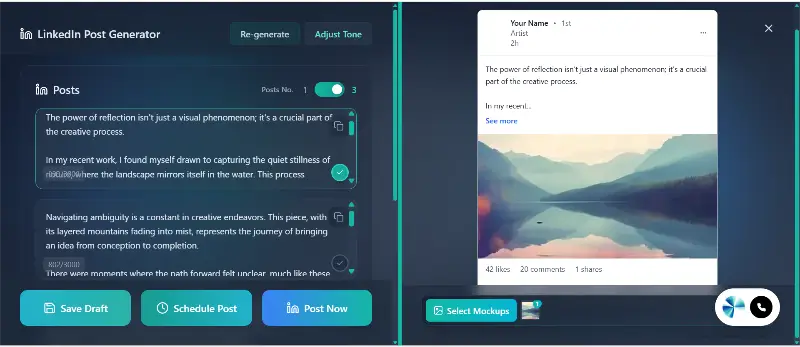
Verify the specific best time to post provided by the assistant. You can then:
Click “Post Now” for immediate, automatic publishing to LinkedIn.
Click “Schedule,” set your preferred date and time (or choose the optimal time), and your assistant will ensure the post goes live automatically.
Ready to Level Up Your Professional Art Career?
Don't let the administrative tasks of professional networking hold back your creative business. Brushly is the dedicated studio assistant that handles the marketing and paperwork, so you can commit fully to creating art.
It's time to showcase your art journey with the professionalism it deserves.
➡️ Log in to Brushly now and craft your next high-impact LinkedIn post!