A collector likes your painting on Instagram and sends one question: "How big is it, really? Would it work over my fireplace?" Your only photo shows the canvas leaning against a studio wall, next to a paint-splattered chair. It tells them nothing about their room.
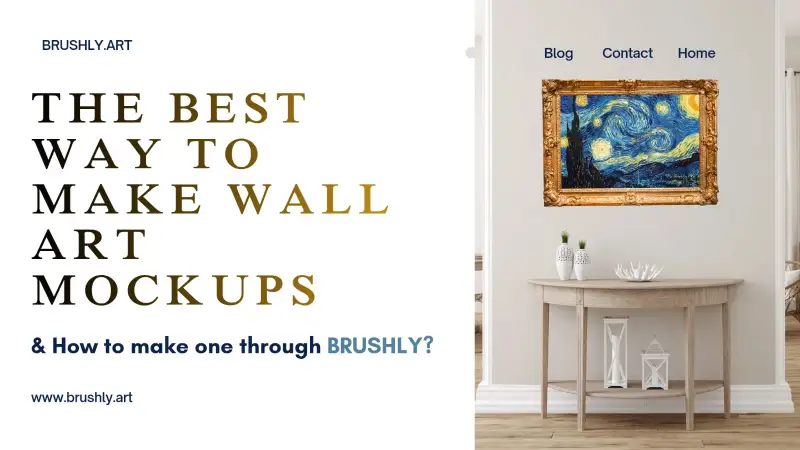
A wall art mockup answers that question before it's asked. It puts a photo of your artwork into a photo of a real room, at the angle of the wall and ideally at its real size, so a buyer can picture it at home. You can build one in Photoshop, with an online mockup generator, or inside the tool where your artwork already lives. Here's what makes a painting mockup look real, where mockups actually help sales, and how to make one, true to size, in a couple of minutes.
What makes an artwork mockup look real
Most people can't say why a mockup looks fake, but they notice. It's almost always one of these.
The perspective is wrong. In a room photographed from the side, the wall recedes, so a painting hanging on it should get narrower towards the far edge. A flat rectangle pasted onto an angled wall is the single biggest giveaway.
The scale is wrong. A 12-inch study shown filling the wall above a sofa looks lovely and misleads everyone. The buyer who gets a piece half the size they pictured won't order again. Furniture helps here, because everyone knows roughly how big a sofa, a desk or a fireplace is.
It's floating. Real paintings cast a shadow and usually sit in a frame or on a canvas edge. Art with no depth looks like a sticker.
The artwork photo is poor. The mockup can only be as good as the image you put into it. Photograph the piece straight on, in even daylight, and crop it exactly to its edges before it goes anywhere near a room.
The frame fights the room. A heavy gold frame in a pale Scandinavian living room looks like a costume. Match the frame, or the lack of one, to the room and to how you'll actually sell the piece.
Where mockups earn their keep
Listings. On your website or a marketplace, keep the straight-on photo of the artwork as the first image and add one or two room shots after it. The first shows the work, the room shows the life it will have.
Instagram and Facebook. A carousel that opens on the painting and swipes to a room gets people to stop and look twice. A room image also gives your followers a reason to imagine owning it, which a flat scan rarely does.
Emails and newsletters. A new release shown on a wall reads as a finished product rather than a work in progress.
Commission conversations. Show a client how a 16 × 20 compares with a 24 × 30 on a similar wall before they choose a size.
Three ways to make one
| Method | Good for | The catch |
|---|---|---|
| Photoshop with PSD mockup templates | Full control over light, shadow and placement | You need the software, the templates and the time for every image |
| Online art mockup generators | A quick one-off image | The rooms are often generic, and size is usually a guess |
| A mockup tool built into your art business app | Rooms, frames and real size, with the artwork already loaded | You work with its room catalogue rather than your own photos |
If you make one mockup a year, any of these is fine. If you post every week, the speed of the last option adds up quickly.
Making a wall art mockup in Brushly
Brushly's Mockups start from an artwork that's already in your library. Choose "See your art in a room" and your painting appears across a gallery of rooms at once. There were 32 when we tried it, loaded eight at a time, with filters for general, commercial and art spaces, plus your favourites. Most of them are angled rooms, where the painting follows the wall's perspective instead of sitting flat on top of the photo. Each room has its own Download button, so if one already looks right, you're done.
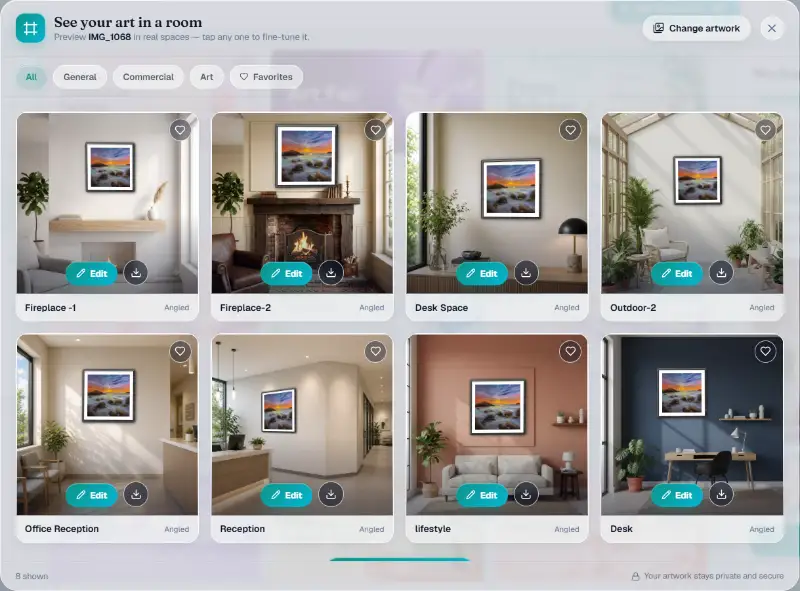
Choose Edit on any room to fine-tune it. The editor gives you five frames: no frame, black, white, natural wood or gold. You can switch a white border (a mat) on or off, drag the painting to move it on the wall, and use a small-to-large slider to adjust the size. Every change shows in the preview straight away, and Reset placement puts it back where it started.
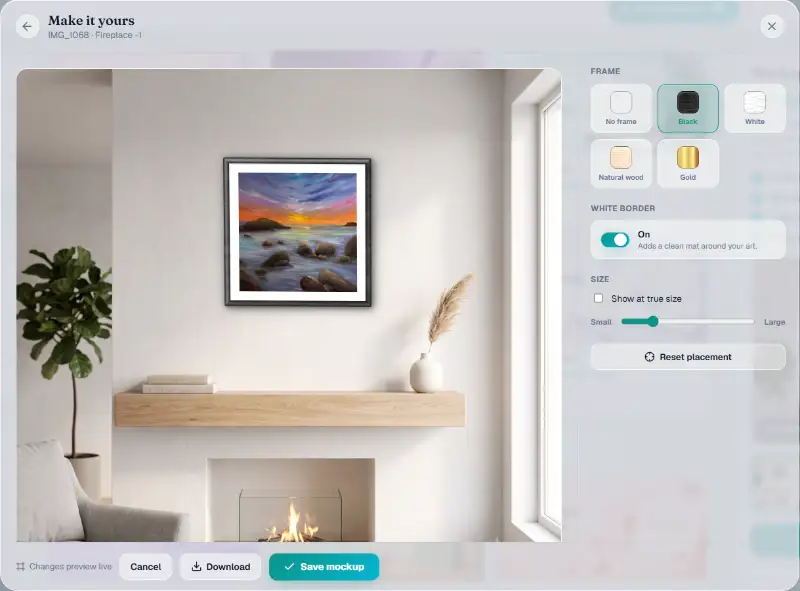
Showing the painting at its real size
Here's the part that answers "how big is it?". Tick "Show at true size" and type the artwork's width. The height follows the painting's shape automatically. On a room whose wall has been measured, the editor tells you how wide that wall is and scales your painting to match. Our fireplace wall is about 78 inches wide, so when we entered 36 inches, the square seascape grew to take up a little under half of it. On a room without a measured wall, it assumes a wall of about 48 inches and says so, so you always know which kind of view you're looking at.
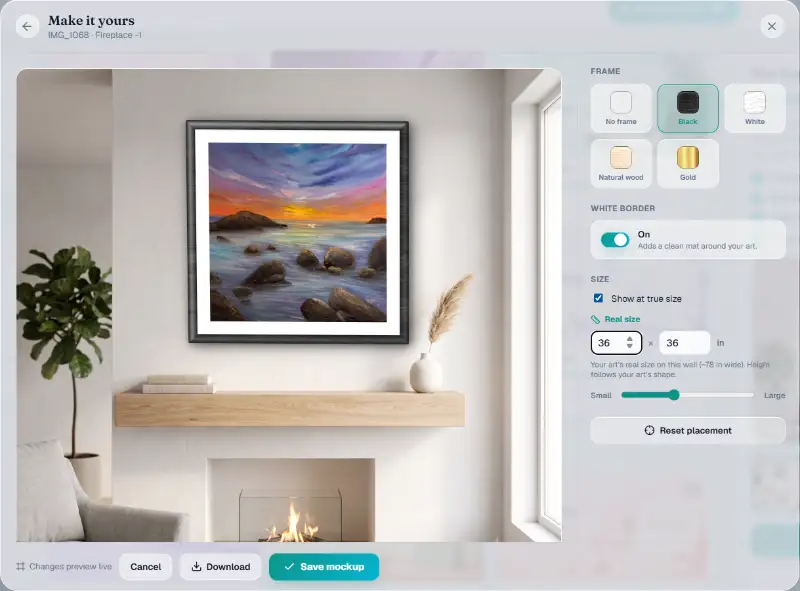
True size is honest, and sometimes that means unflattering. An 8 × 10 study on a big living-room wall looks like a postage stamp. That's useful information for a buyer, not a problem to hide. Many artists post two versions: a styled room to stop the scroll, and a true-size room to answer the size question in the comments.
When it looks right, download the mockup, or save it to keep it with the artwork.
Picking the right room for the buyer
The room is part of the message, so choose it for the person you want to sell to, not just for the prettiest photo.
A large abstract aimed at businesses belongs in an office reception or a lobby, which is what the commercial filter is for. A buyer furnishing a flat wants to see a living room, a bedroom or a spot above a desk. Small pieces look best in small settings: a shelf, a hallway, a reading corner. Put a 10-inch study on a vast feature wall and it disappears, even at its true size.
Keep a few rooms as favourites and reuse them. When every new piece appears in the same three or four spaces, your feed looks consistent, and followers start to recognise your work before they read your name. Rotate in a new room now and then so the set doesn't go stale.
From mockup to post
Mockups are most useful when they end up in front of people. When you start a new post in Brushly's social media tools, the composer already includes three room mockups of your artwork alongside the original. You can remove or reorder them like any other image, or add different rooms. A room shot next to the straight-on photo also makes a strong pair on your online portfolio, where collectors decide whether a piece will fit their home.
Quick answers
What is a wall art mockup?
An image that shows your artwork hanging in a room, made by placing a photo of the work onto a photo of a wall at the right angle and size. It helps buyers picture the piece in their own space.
Is it honest to sell art with mockups?
Yes, as long as the size is right and the listing gives the real dimensions. Keep an unedited photo of the artwork as the first image, so buyers can see the work itself.
How do I photograph artwork for a mockup?
Hang or prop it straight, photograph it square-on in soft daylight, avoid glare on varnish or glass, and crop right to the edges of the painting. Colour-check it against the original before you use it.
Do I need Photoshop to make a painting mockup?
No. Photoshop templates give you the most control, but a built-in mockup tool gets you a convincing room, frame and true-size view without any editing software.
Show your next piece where it belongs: on a wall. Every new Brushly account comes with a 7-day free trial, so open Brushly, pick a painting, and see it in a room at its real size before your next post. Compare the plans to see what's included.